A common question we receive from users is: “How do I use OpenSprinkler to switch a water pump, a heater, a fan, or similar mains-powered devices?” Here are the top 5 ways to bridge the gap between OpenSprinkler and your high-voltage equipment, ranging from “Zero Wiring” to “Zero Software Configuration“.
1. WiFi Smart Plugs
- Best For: Ease of use, zero wiring, and total safety.
- Approx. Cost: ~$20
This is rapidly becoming the most popular method because it requires zero physical wiring between the controller and the pump. You can have your OpenSprinkler in the garage and control a pump in a greenhouse 50 feet away.
How does it work: WiFi power sockets like the Shelly Plug US support a well-documented HTTP API, which allows you to send commands over WiFi to switch the socket on or off. Crucially, they allow for local IP-based control without relying on a cloud server—a perfect solution for privacy-focused users.
OpenSprinkler features a station type called “HTTP Station“, which sends user-defined HTTP commands when a zone opens or closes. By leveraging the smart plug’s API, zone actions transfer directly to the power plug.
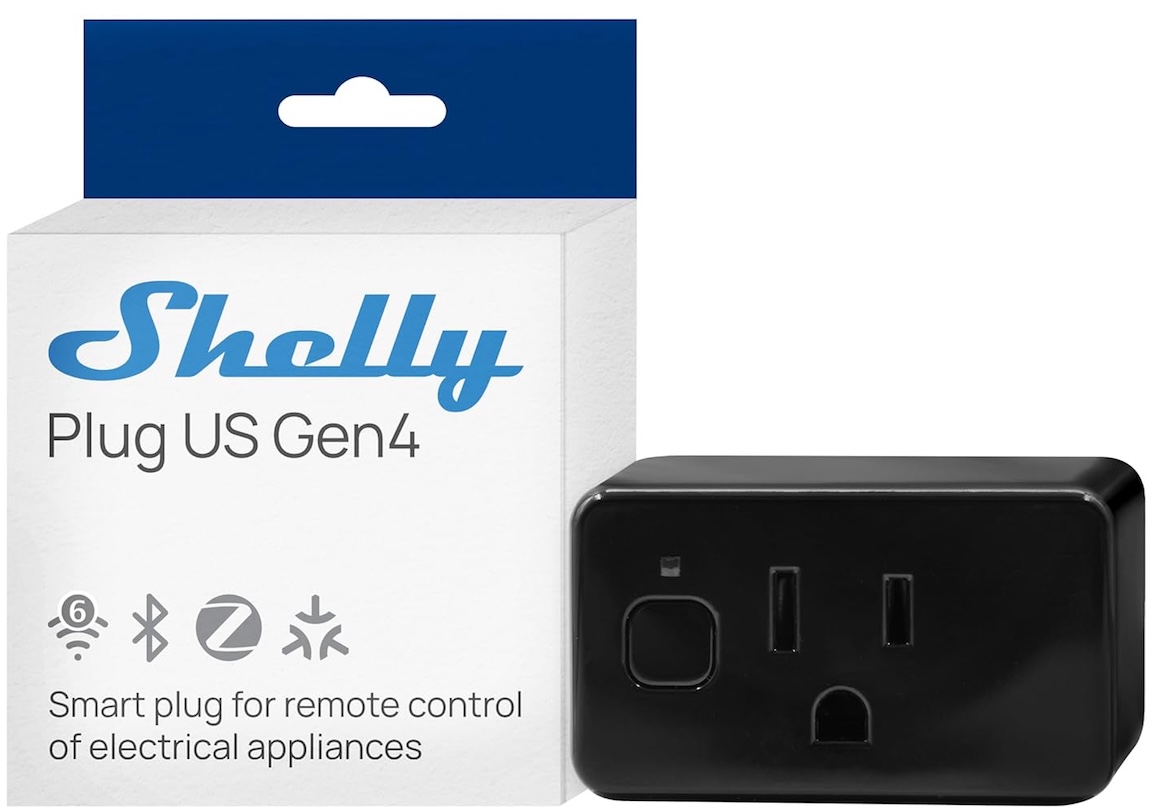
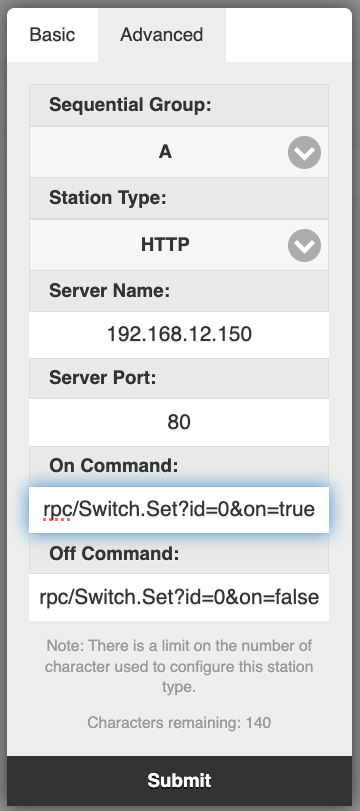
How to set it up:
- Configure your WiFi plug to connect to your router and obtain its IP address.
- In OpenSprinkler, edit a zone and set its Station Type to HTTP.
- Enter the plug’s IP address and Port in the Server Name and Port fields.
- Configure the HTTP commands. Using the Shelly US plug as an example:
- On command:
rpc/Switch.Set?id=0&on=true - Off command:
rpc/Switch.Set?id=0&on=false
- On command:
- Test the zone to verify the plug responds. (Note: If you use a different brand, check its API documentation for the correct command path).
Pros:
- Galvanic Isolation: Complete air-gap isolation. No risk of messing with high-voltage wires.
- Expandability: Easy to expand to multiple plugs / pumps. You aren’t limited by the physical ports on your OpenSprinkler unit.
- Power Monitoring: Many plugs include power consumption monitoring.
Cons:
- Not all WiFi plugs support HTTP API or local IP-based control.
- Relies on your WiFi router (if WiFi is down, the pump won’t turn on).
- Requires initial WiFi configuration on the plug.
2. Wireless but No WiFi: RFToy and RF Sockets
- Best For: Long-range control where WiFi is weak.
- Approx. Cost: ~$40 (RFToy + Sockets)
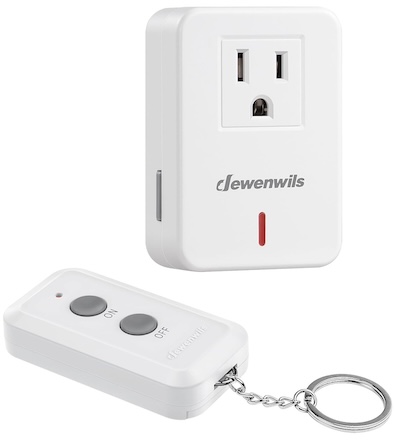
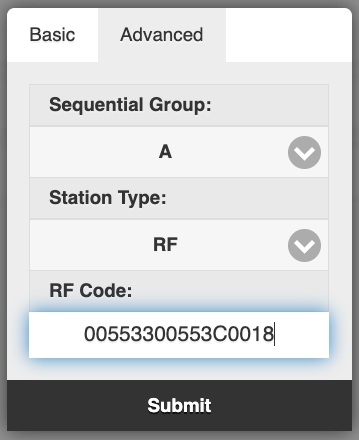
RF Power Sockets work on the 433MHz or 315MHz bands (unlike the 2.4GHz used by WiFi) and typically come with a dedicated remote. With an RFToy, you can decode the remote’s signal and replicate it using OpenSprinkler. OpenSprinkler’s ‘RF Station’ feature is designed exactly for this. You paste the code that RFToy intercepted from the remote, allowing the zone to toggle the socket.
Pros:
- Range: RF signals often penetrate walls and floors far better than WiFi.
- Isolation: Complete air-gap isolation. No wiring required.
- Cost: RF sockets are cheaper per unit than WiFi plugs, making expansion more affordable.
Cons:
- Requires purchasing an extra device (RFToy)
- Usually one-way communication (no feedback signal to confirm the plug actually turned on).
3. The Safe Wired Way: IoT Relay
- Best For: Users who want a reliable wired-only connection without messing with mains voltage.
- Approx. Cost: ~$40
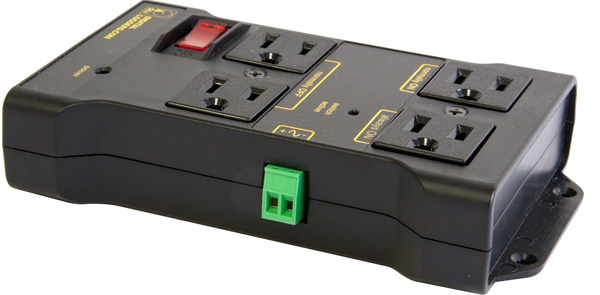
If you prefer the reliability of a wired connection but are uncomfortable stripping 110V wires, the IoT Relay is great. It looks like a power strip but features a green low-voltage terminal block on the side.
How to set it up:
- Run two wires from OpenSprinkler (COM and a Station Port) to the green connector on the IoT Relay. It works with both AC-powered and DC-powered OpenSprinkler units.
- Plug your pump into the “Normally OFF” outlet.
- When the station activates, the outlet turns on.
Pros:
- Zero Software Configuration: No WiFi configuration to manage.
- Plug-and-Play: UL-listed and fully enclosed. Safe to use.
- Reliable: It’s a hardwired connection, so it works even if your WiFi goes down.
Cons:
- Current limit: Limited to ~12 Amps, which may not meet your pump’s specs.
- Availability may be limited as there is only one manufacturer.
- Expanding Cost is High if you need to switch multiple pumps.
4. The DIY Way: 24VAC Relay / Solid State Relay (SSR)
- Best For: Makers, engineers, and budget builds.
- Approx. Cost: ~$5–$10
- Reference: See our detailed guide: Using 24V AC Relays with OpenSprinkler
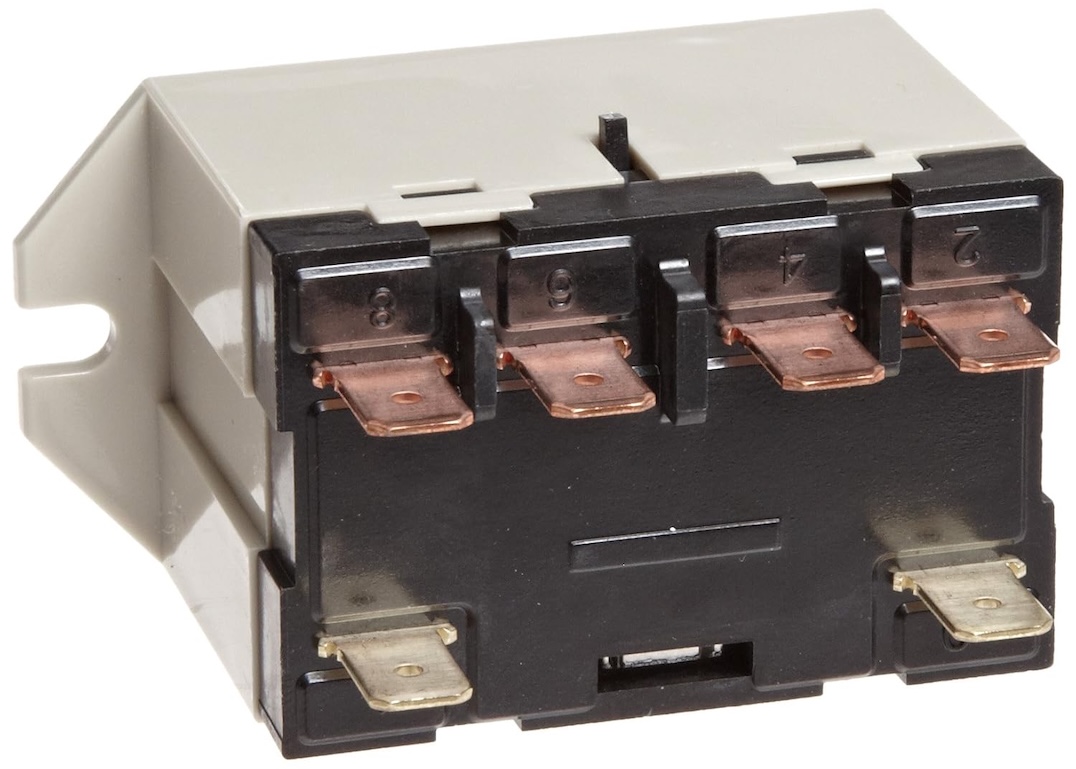
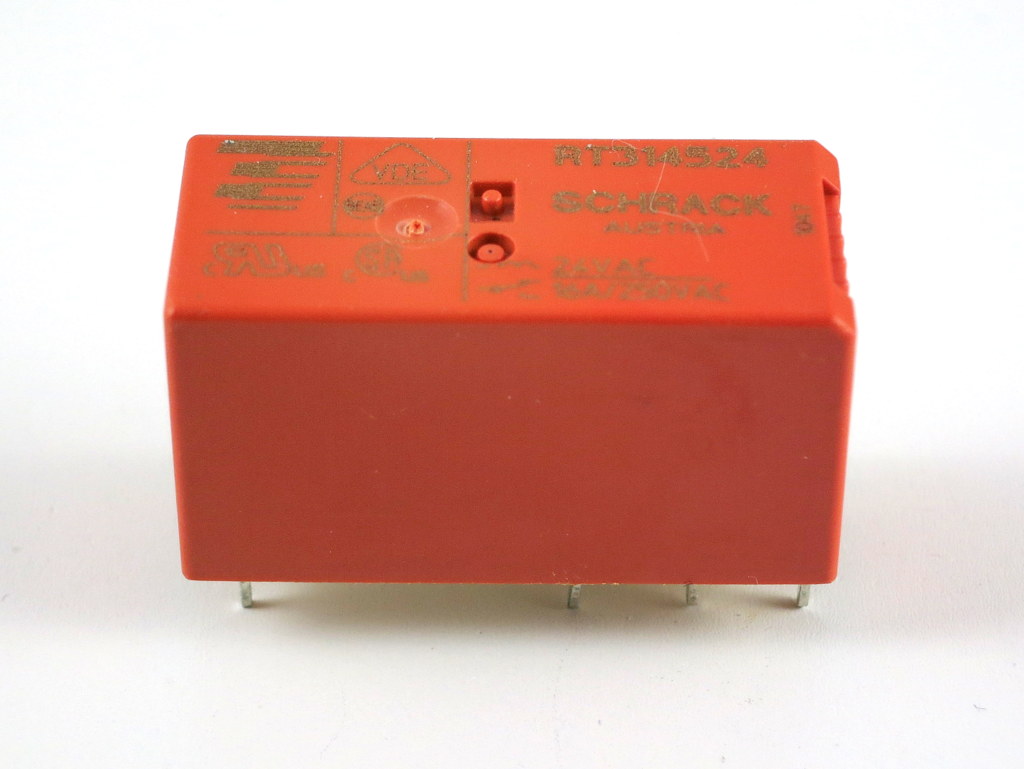
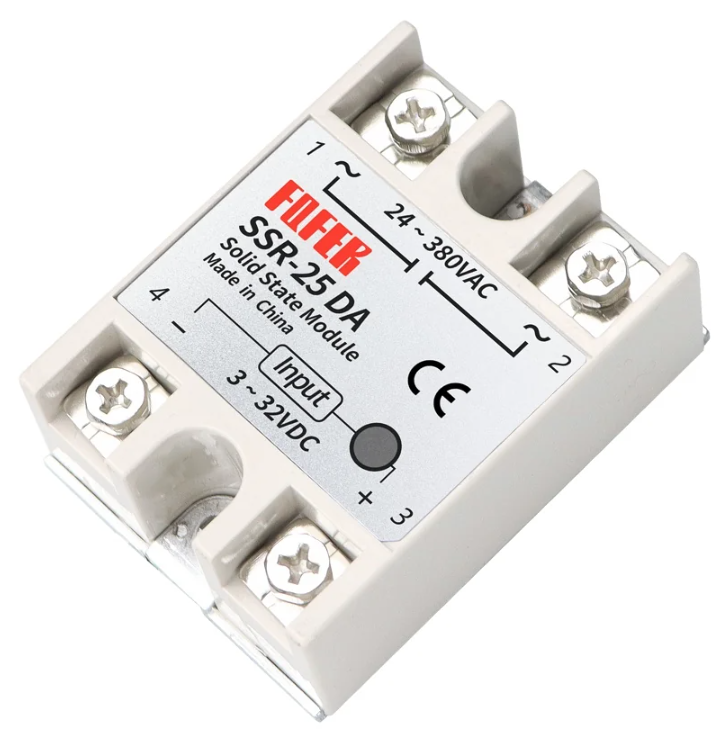
This is the classic “old school” approach. You buy a standard relay with a 24VAC Coil (for AC-powered OpenSprinkler only; or, if using a DC-powered OpenSprinkler, get a DC Solid State Relay). You wire the coil to the OpenSprinkler just like a sprinkler valve, and wire your pump through the relay’s switch contacts.
Pros:
- Lowest Cost: The cheapest option by far.
- Reliable: Hardwired connection works even if WiFi fails.
Cons:
- Safety Hazard: Requires proper enclosure and handling of exposed mains voltage.
- Wiring Required: You need to handle both low and high voltage wiring.
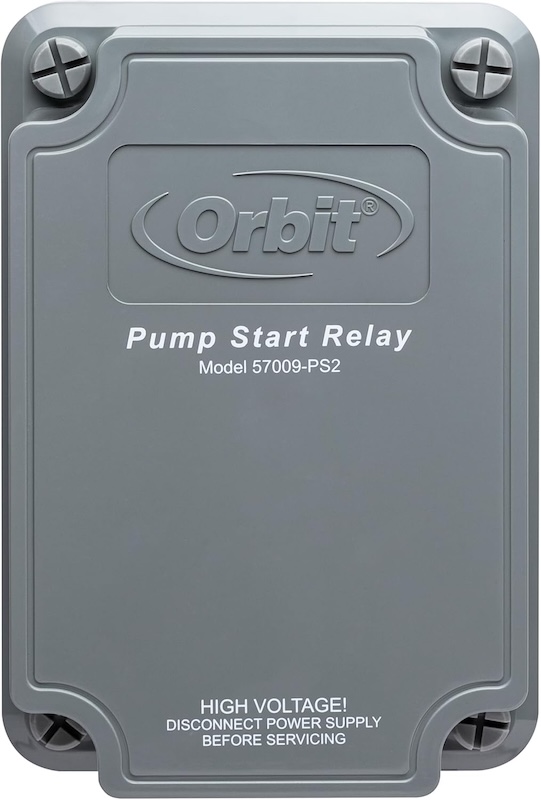
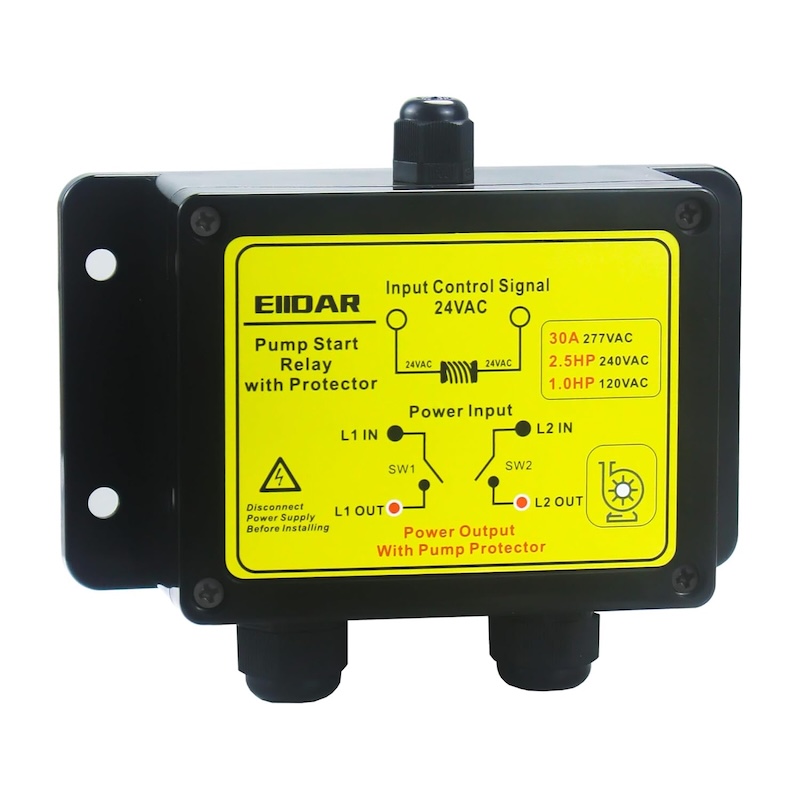
5. The Heavy Duty Option: Pump Start Relay
- Best For: Large (1HP+), high power (>1500W), or 3-phase pumps
- Approx. Cost: ~$50–$80
If you are running a massive well pump or a booster pump for a large lawn, small relays will weld shut due to the “inductive kickback” of the motor. You need a dedicated Pump Start Relay (from brands like Orbit, Hunter, or Rain Bird). These are essentially industrial-grade versions of Option 4, housed in a NEMA-rated outdoor box.
Pros:
- Robust: Built to handle the massive in-rush current of large pumps.
- Code Compliant: Safe for permanent outdoor installation.
Cons:
- Most expensive option.
- Requires professional hardwiring.
- Expansion cost is very high.
Summary & Comparison
| Method | Best For | Wiring Effort | Software Config | Isolation | Cost | Expansion Cost (unit) |
| Shelly / WiFi Plug | Ease of use | None (Wireless) | Medium (WiFi+HTTP setup) | Excellent (Air Gap) | ~$20 | Medium (~$20) |
| RFToy+Socket | Range | None (Wireless) | Low (RF setup) | Excellent (Air Gap) | ~$40 | Low (<$10) |
| IoT Relay | Wired Safety | Low | None | Good (Internal) | ~$40 | High (~$40) |
| 24VAC Relay / SSR | Low Cost DIY | High (Mains Voltage) | None | Good (Coil) | ~$5 | Low (~$5) |
| Pump Start Relay | Heavy Duty | Medium | None | Good (Coil) | > $40 | High (>$40) |
