Feed on
Posts
Comments

I’ve had some rudimentary experience with surface mount (SMT) soldering in the past. The method I learned basically involves squeezing out solder paste from a syringe onto the PCB, placing the components, and then using a hot skillet to reflow. It’s pretty easy to learn. But if I want to produce assembled PCBs in large quantity, the syringe method is not going to work well. Instead, I need to use a solder paste stencil to quickly apply solder paste onto PCBs.

Solder paste stencils (aka SMT stencils) are expensive if you want to order them. Even a small piece would cost $30-$40, and that’s often the price for just one. I wanted to learn how to make stencils myself, so I can produce them quickly, and as many as I want. I don’t own a laser cutter. Fortunately, I found this really clever method from Instructables. After trying it a couple times, I’ve got a good grip of it. Below I document the process with pictures. The method is essentially based on the Instructables article above, but combined with my own experience and tips.

Preparation
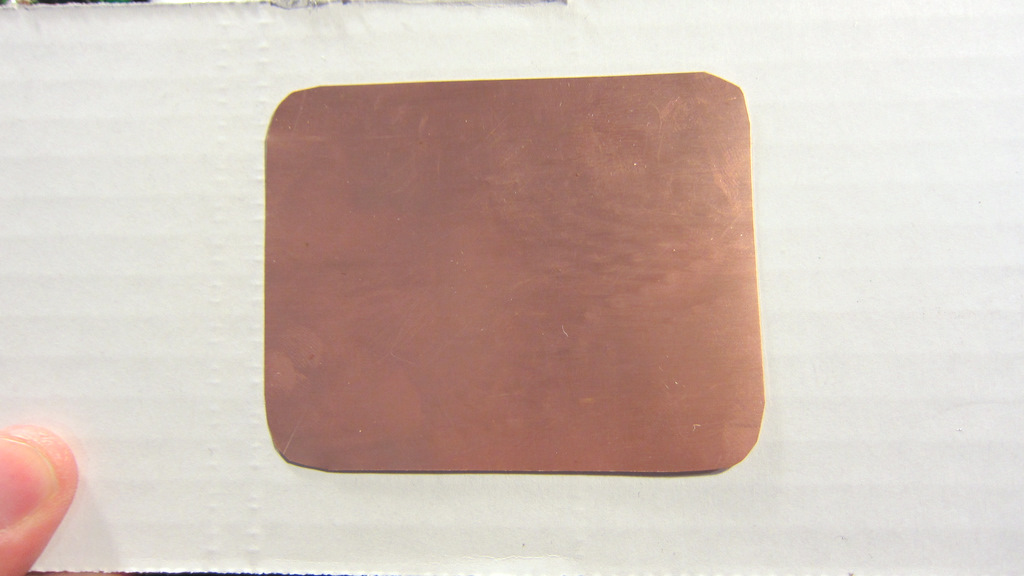
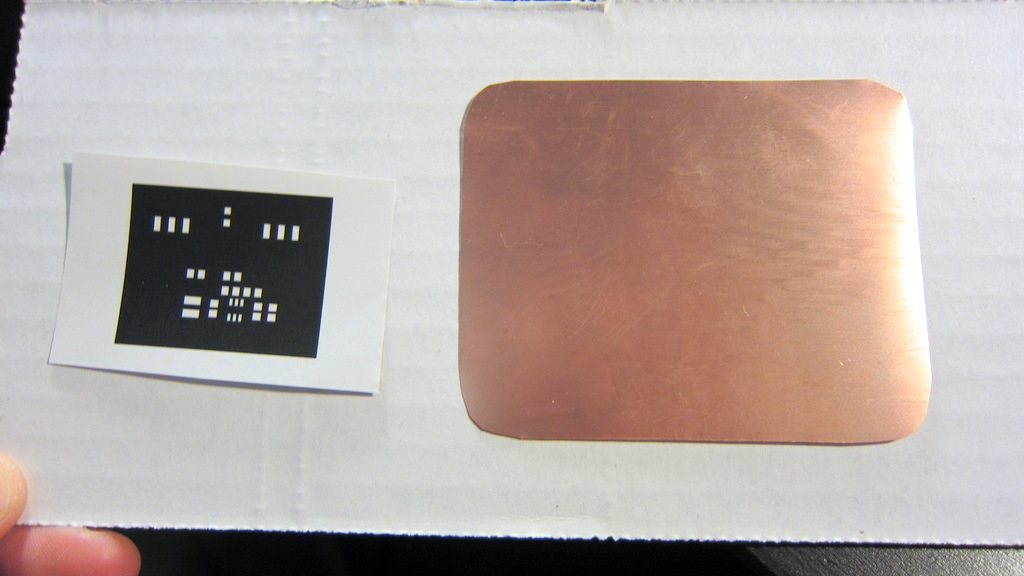
To begin, you need thin copper sheet. The thickness of the copper sheet should be around 3 to 4mil (0.003 to 0.004 inch). I got mine from Amazon: 12 inch by 12 inch for a reasonable price. Use scissors to cut a small piece from the sheet. The size should be twice as large as the actual PCB size, to avoid solder paste from running off the stencil.
Clean the copper surface using some Bar Keepers Friend.
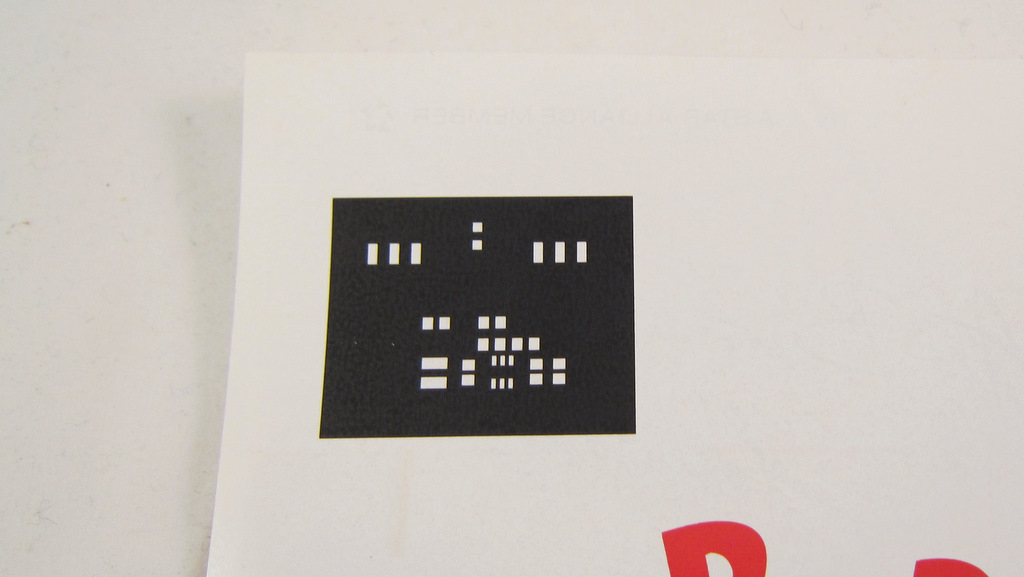
Now use a laser printer to print the color inverse of the top stencil mask onto a piece of magazine paper. Use the highest toner darkness. The color inverse means you want the stencil masks to be white, and the rest to be black. After etching, the solder masks will become holes in the sheet, thus creating a ‘stencil’.
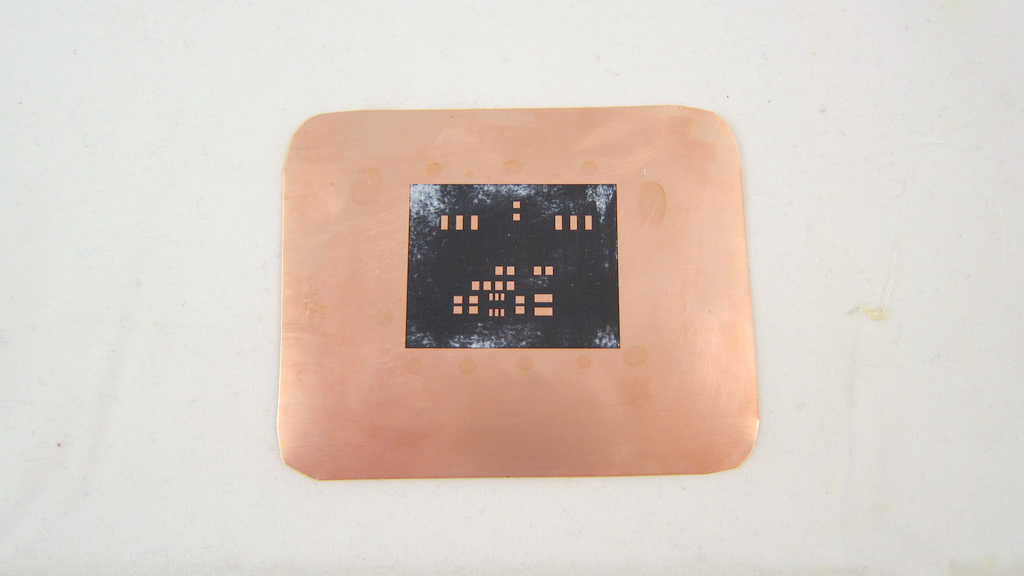
Now use the toner transfer method to transfer the print to the copper sheet. There are many online instructions for the toner transfer method, but according to my experience, the following two tips make it really a breeze. 1) Use magazine papers for the printout. Don’t use glossy photo papers — they are expensive and difficult to peel off. Magazine papers work like a charm. 2) Use a GBC laminator for transfer. It’s much, much easier (did I say much?) than a hot iron. Place the printout face down on the copper sheet, and run it through the laminator at least 10 times. Then throw the copper to hot water. After 5 minute you can peel off the magazine paper. Really easy.

Etching

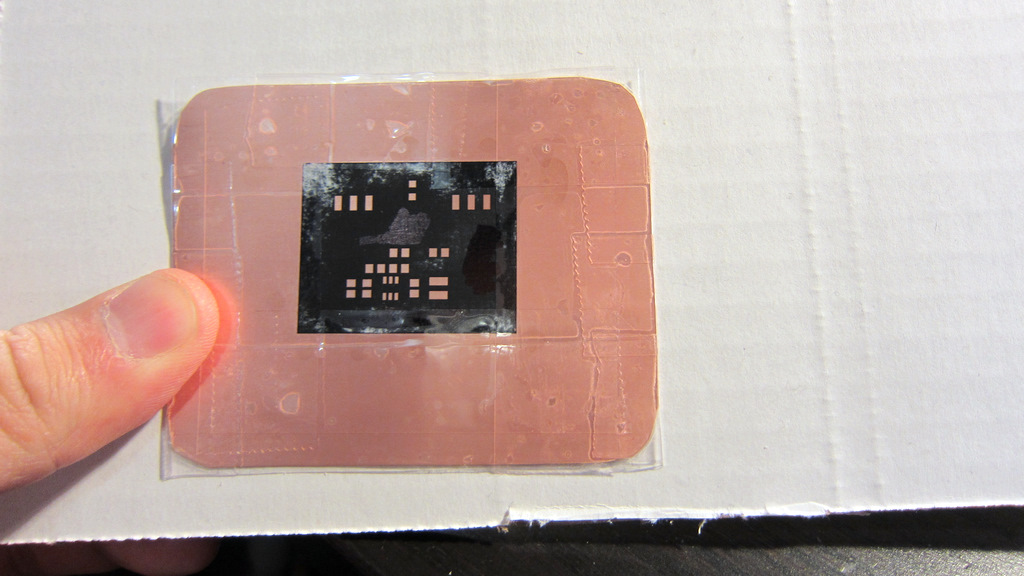
The next step is very important: you need to cover the bare copper surfaces with tape. This includes both the front and the back sides. You don’t want them to be etched out. Of course the tape should not run too much into the region of the printout — you don’t want to cover any solder mask holes that should be etched out.
Now it’s time to throw the thing into an etchant and let the exposed copper be etched out! Instead of Ferric Chloride, I like using the fast solution that consists of one part muriatic acid + two parts hydrogen peroxide. Very cheap in terms of material cost, and very effective. You can get muriatic acid from Lowes. Just be careful: do not let your skin touch it, and do not breath it directly.
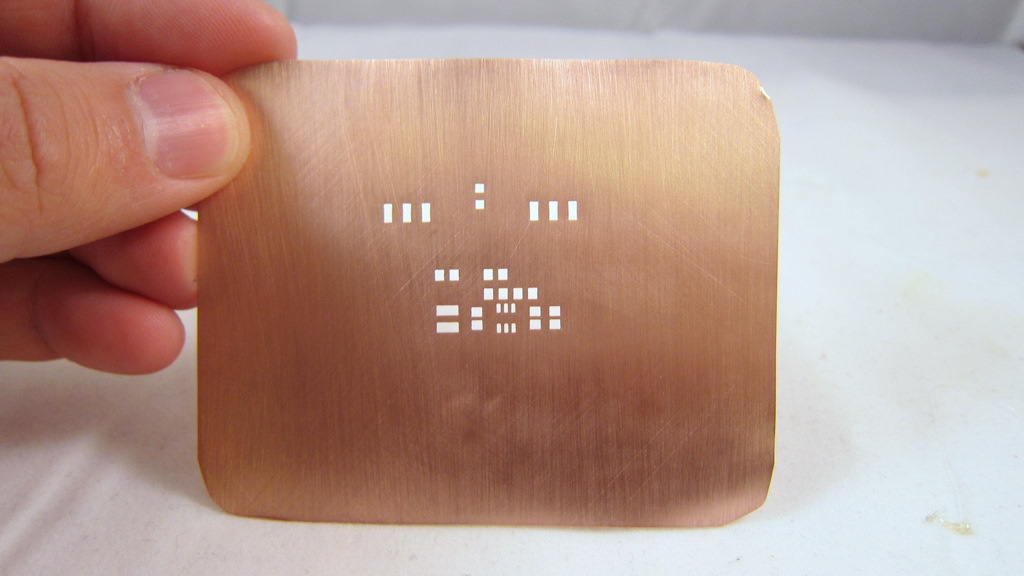
After etching is complete, carefully remove the tapes. Then use Acetone to remove the black toner. Finally, polish the copper surface with a Scotch-Brite scrub sponge. Voila, the solder paste stencil is done! Looks quite pretty.

If you are experienced, the whole process should take no more than 40 minutes. You can make as many stencils as you want. I haven’t tried making a stencil with really small component footprints. I will try that at some point and see how accurate the stencil can be.

Apply Solder Paste

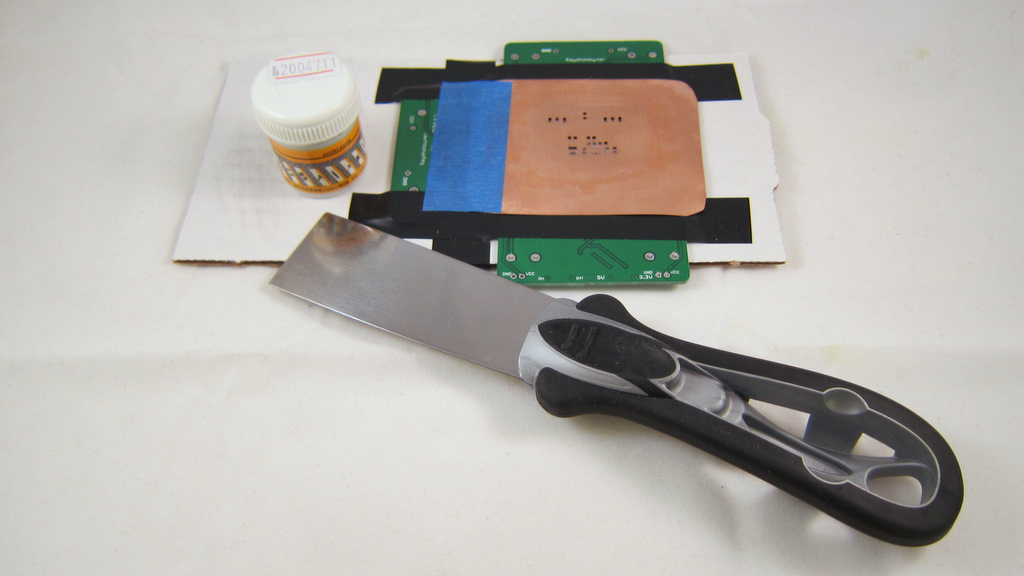
Now it’s time to see some stenciling in action! First, use three spare PCBs to make a tight frame, and insert the target PCB into the frame.
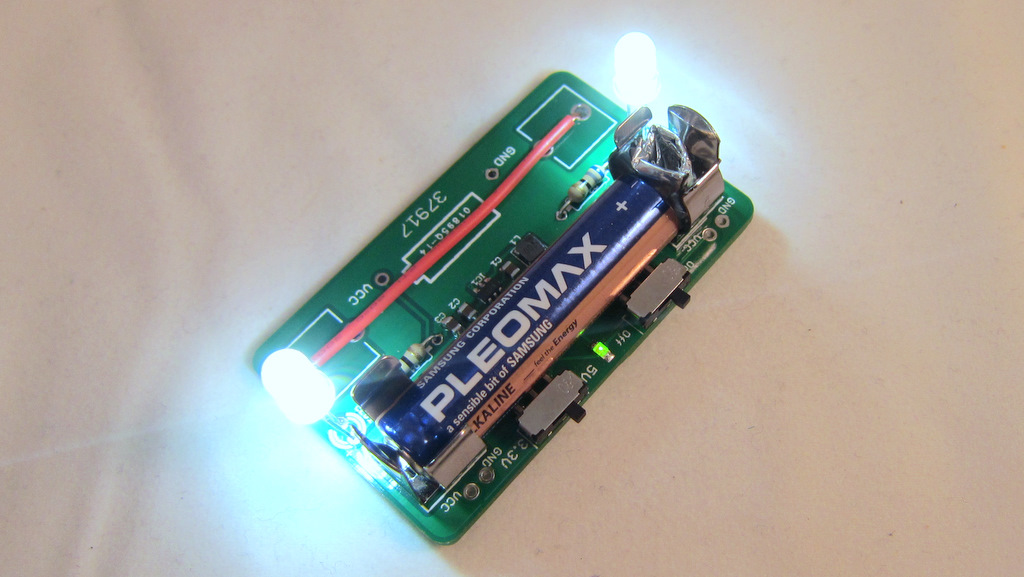
My target PCB today is the AASaver / Breakboard Power Supply. This is a little boost converter that bumps a voltage as low as 0.8V to 5V or 3.3V, which can be used to power bright LEDs or serve as breakboard power supply.
Carefully position the stencil on top of the target PCB, and align the holes with the solder pads. After you are satisfied with the alignment, use a tape to fix the left edge of the stencil. This way, you can easily life the stencil up when you are done, and you don’t have to re-align for the next PCB.
The next step is to apply the solder paste. This is a bit nasty. You need to prepare a putty knife (available in home improvement stores) and some solder paste. I got my solder paste from DealExtreme.com. Cheap and works really well (the only downside is the long shipping time).
I didn’t make a video to show how to apply the solder paste. Fortunately, Sparkfun electronics has a great video tutorial which I included on the left. Check it out!
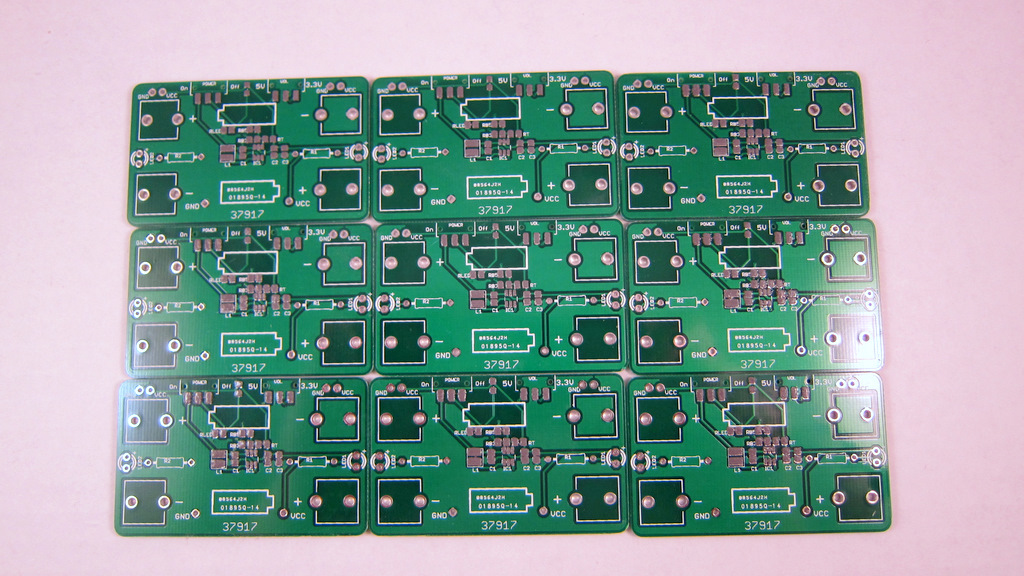
This is the outcome of applying solder paste to nine PCBs. Click on the image to see a zoom-in view. It’s really fast.

Place SMT Components


Placing SMT components onto the PCB is often the trickiest step. These kids are so tiny that even a small breath from your mouth will blow them away. Not only are they difficult to hold still, but it’s tricky to get them out from their packages.

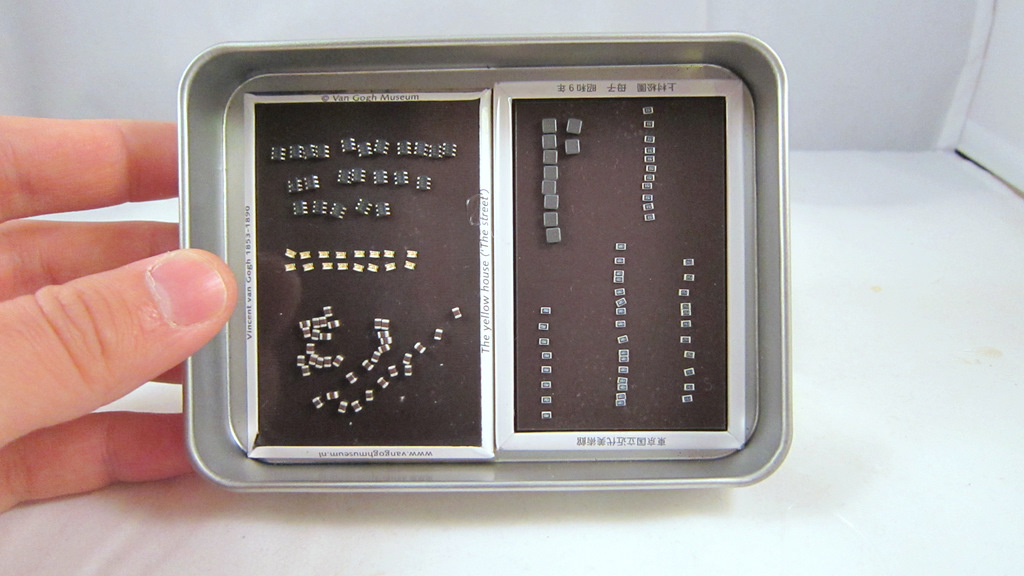
But don’t worry, I found a good way to hold them still so they won’t get lost easily. The method is very simple. Just use some magnets! Most SMT components attract well to magnets. You can 1) easily dump components from their packages to the magnetic surface, and 2) move or even lift up the magnets, and the components won’t fall off. So next time when you travel, don’t forget to buy some extra magnets!

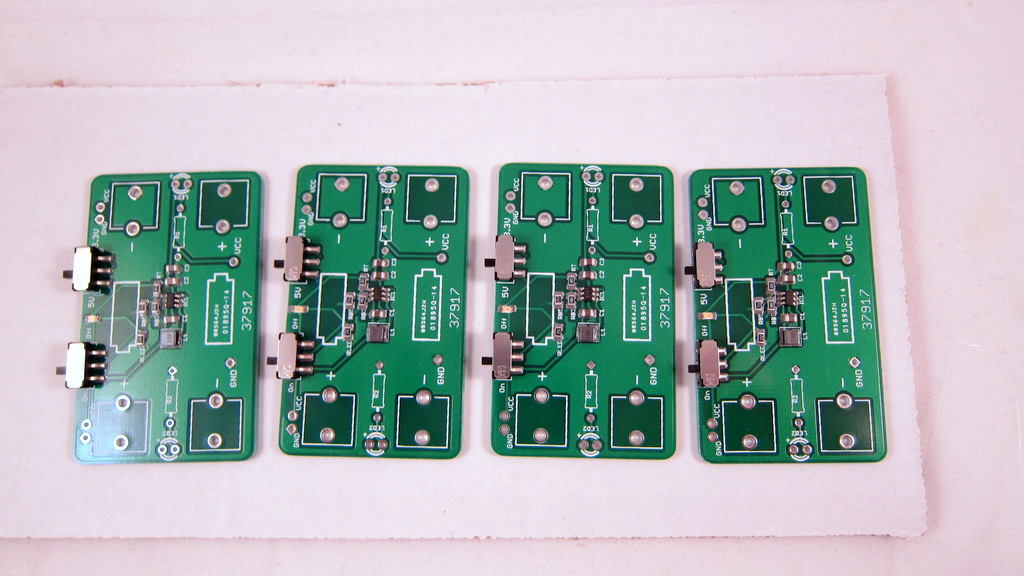
Use tweezers to carefully move components from the magnets to the PCBs, and place them in the right spots. Here is the outcome of SMT placement.

As some point I will need to buy a pick and place machine to automate this step.

Hot Skillet Reflow


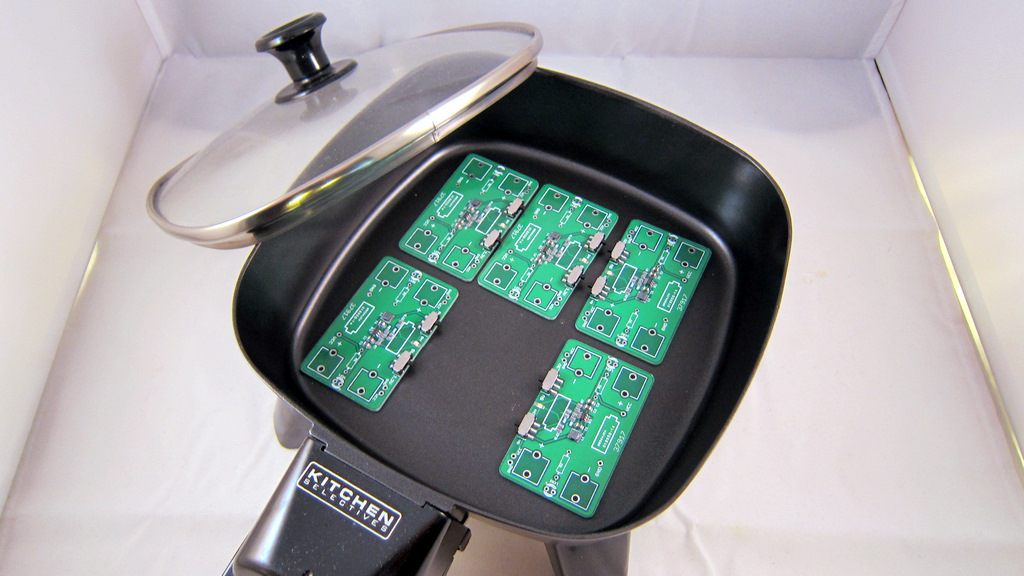
Now it’s time for some hot skillet action. Place several component populated PCBs into an electric skillet. Turn to the maximum power. In about 2-3 minutes the reflow will start to happen. As soon as it’s done, turn off the power and let the PCBs cool down. If you’ve never done the reflow before, check out Sparkfun’s awesome Reflow Skillet tutorial.

You should do this outdoors because the fumes produced during reflow are toxic, and you certainly don’t want to breathe them! The picture on the left shows the outcome of the reflow.

Lastly, perform careful visual checking to see if every component is soldered properly. Also do a basic electric test to see if the circuit functions correctly.

The Final Result

Here you are, a fully functioning AA Saver / Breakboard Power Supply! I will write another blog article shortly to introduce this small yet very useful circuit. Stay tuned.

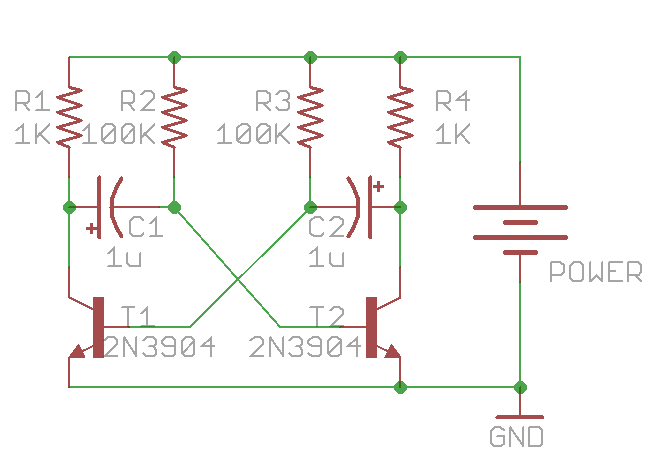
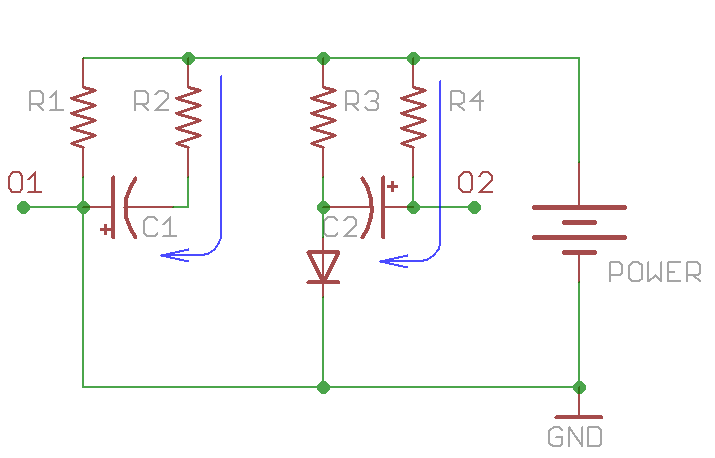
This is the first article in a series that I call ‘Learning Electronics’. The goal is to learn and experiment with basic electronic circuits. The first circuit I will discuss here is the astable multivibrator. This is a very simple oscillator circuit that can be used to generate square waves. Here is the schematic of a standard astable multivibrator:

It consists of only two NPN transistors (T1 and T2), two capacitors (C1 and C2), and four resistors (R1-R4), organized in a symmetric fashion. The collectors of T1 and T2 are outputs, which provide complement square wave signals. The values of the capacitors and resistors can vary depend on the desired frequency, and their values do not have to be symmetric.

Update: as some readers pointed out, for square wave output, the resistor values should satisfy: R2 / R1 < h_fe, where h_fe is the transistor's current gain (same for R3 and R4). As h_fe is usually around 80 to 250 for 2N3904, the specific values above (R1=1K, R2=100K) are close to the margin. To improve this, consider increasing R1 or decreasing R2. Alternatively, you can replace 2N3904 with BC547, or even a Darlington transistor (e.g. MPSA14), which have higher h_fe values.

Principles

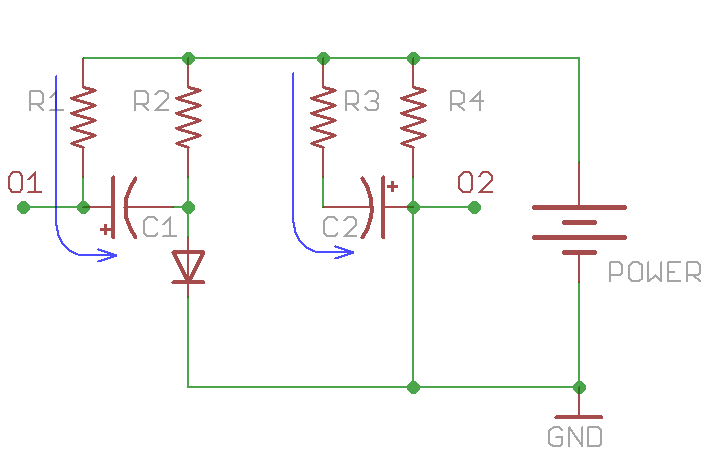
So how does the circuit work? To begin, when power is applied, theoretically both T1 and T2 should turn on, since their base pins are connected through resistors (R2 and R3) to Vcc. However, due to small differences in the electric properties, one of the them will turn on slightly earlier than the other. Without loss of generality, let’s assume T2 turns on first. Therefore, T2’s collector begins to conduct and can be thought of as ‘shorted’ to ground. Note that C2’s right lead is connected to T2’s collector, and since C2 is not charged yet, its left lead also has a voltage close to ground. This immediately shuts off T1, i.e. T1 becomes an open circuit. Therefore C1’s left lead is in floating status, and its right lead is connected to T2’s base, which is about 0.7V due to the forward voltage drop of transistors. This forward voltage drop is the same as a diode. So at this moment, the circuit is equivalent to the following:

Stage 1

During this period, T2’s collector (output O2) remains low, and C2 begins to charge through R3. Thus the voltage on C2’s left lead will rise, and the rising time depends on R3 x C2. At the same time, C1 also charges, through R1, which is typically a small resistor (e.g. 100-1000 ohm). So C1’s left lead (output O1) will quickly rise up to Vcc and remains high.

As C2 continues to charge, a critical moment will happen when its left lead rise up to 0.7V, at which moment transistor T1 will turn on, and its collector will conduct to ground. Note that since C1’s left lead is connected to T1’s collector, it will also drop to ground voltage. As C1 is fully charged, it’s right lead will suddenly drop to a negative voltage (-Vcc). This will shuts off T2 firmly. Therefore the circuit will suddenly transition to the following equivalent:

Stage 2

During this period, output O1 will remain low, and output O2 will quickly rise to Vcc (due to the charging of C2 through a small resistor R4). At the same time, C1 charges through R2 and the voltage on its right lead will rise over time determined by R2 x C1. Now you can predict what’s going to happen: as C1 continues to charge, the next critical moment happens when C1’s right lead rises above 0.7V. At that point, T2 will conduct again while T1 shuts off. The same cycle will repeat. There you go, oscillators!

Analysis

Now we have to do some calculus to find out the frequency of the oscillator. Let me focus on output O2. As it alternates between low and high, it approximates a square wave. How to find out the frequency? Note at the end of stage 1, C1 has a voltage of (Vcc – Vb) across it (where Vb = 0.7V). Again, the voltage establishes very quickly because R1 is small. The moment the circuit transitions from stage 1 to stage 2, C1’s right lead has an initial negative voltage: -(Vcc – Vb), and the circuit remains in this stage until that lead rises up to +Vb. So let’s calculate how long this will take. There are ready-made equations to compute this, but here let me derive it from basic differential equations.

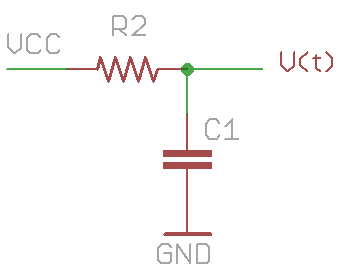
To start, the problem can be simply stated as follows: a resistor R2 and capacitor C1 are connected in series between Vcc and ground. C1 has an initial voltage of -(Vcc – Vb). How long does it take for C1’s voltage to rise up to +Vb? Let’s assume C1’s voltage is V(t): a function that changes over time. According to the law of capacitor, the change of V(t) is equal to the current flowing through it divided by the capacitance:

How much is the current i(t)? That’s equal to the current flowing through the resistor R2, thus

putting them together:

This is a simple differential equation. We can rearrange it to the following form:

By using the fact that

and integrate both sides, we get:

where K is a constant. Using the knowledge that when t=0, V(t)= -(Vcc – Vb), we find out

so:

Recall that our goal is to find hen V(t) is equal to Vb, so substitute Vb to V(t), and solve for t:

Under the assumption that Vcc is much larger than Vb, this is approximately equal to:

This is how long stage 2 will last. Similarly, stage 1 will last for approximately

Therefore, a full cycle will take

before the next cycle begins. The frequency of the wave is thus:

Viola! We are done!

With the given values in the first schematic (C1=C2=1uF, R2=R3=100K), the frequency is roughly 6.5Hz. These symmetric values can produce a square wave of 50% duty cycle. But they do not have to be symmetric. By using different R2 and R3 (or different C1 and C2), you can easily create waves with any desired duty cycle.

Practice

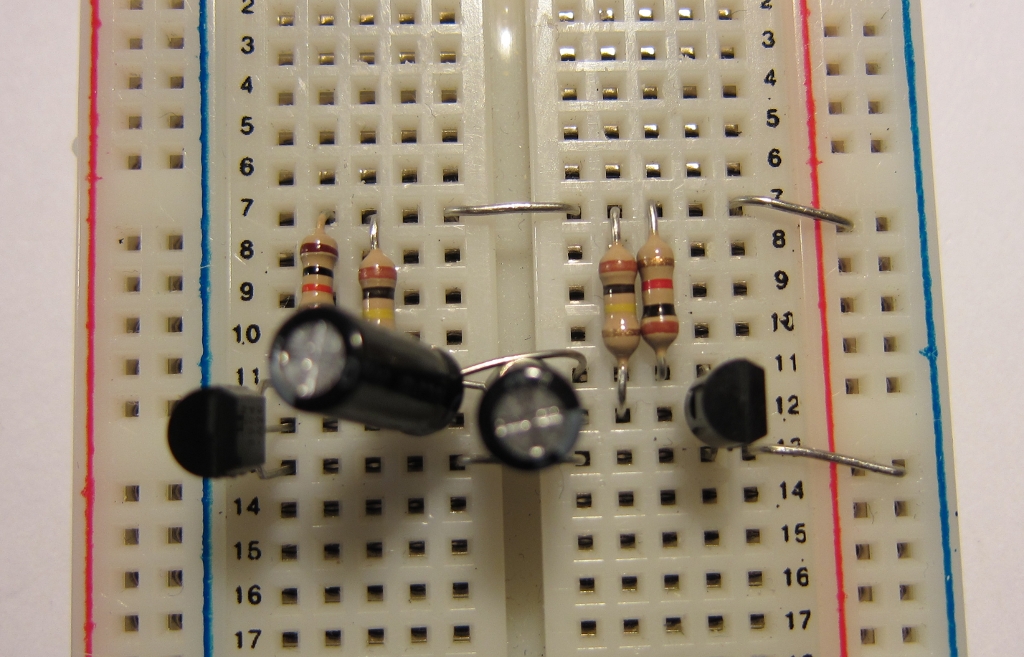
It’s very easy to prototype the circuit on a breadboard. Here is an example:

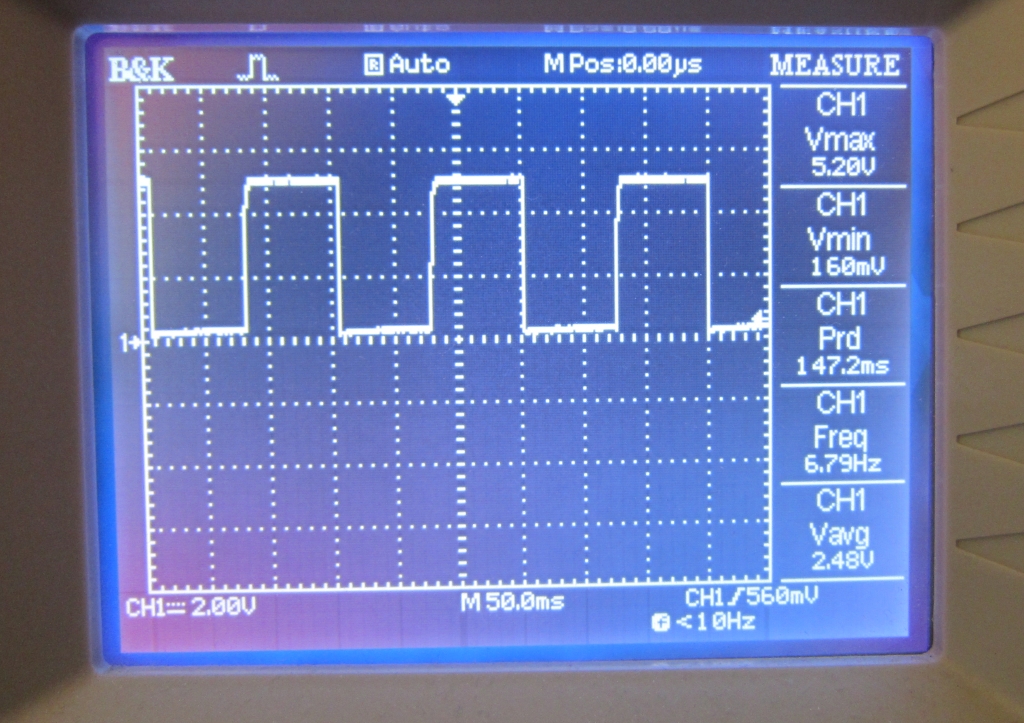
Connecting an oscilloscope to output O2, the result shows a decent square wave with 50% duty cycle at about 6.7Hz. Looks quite nice.

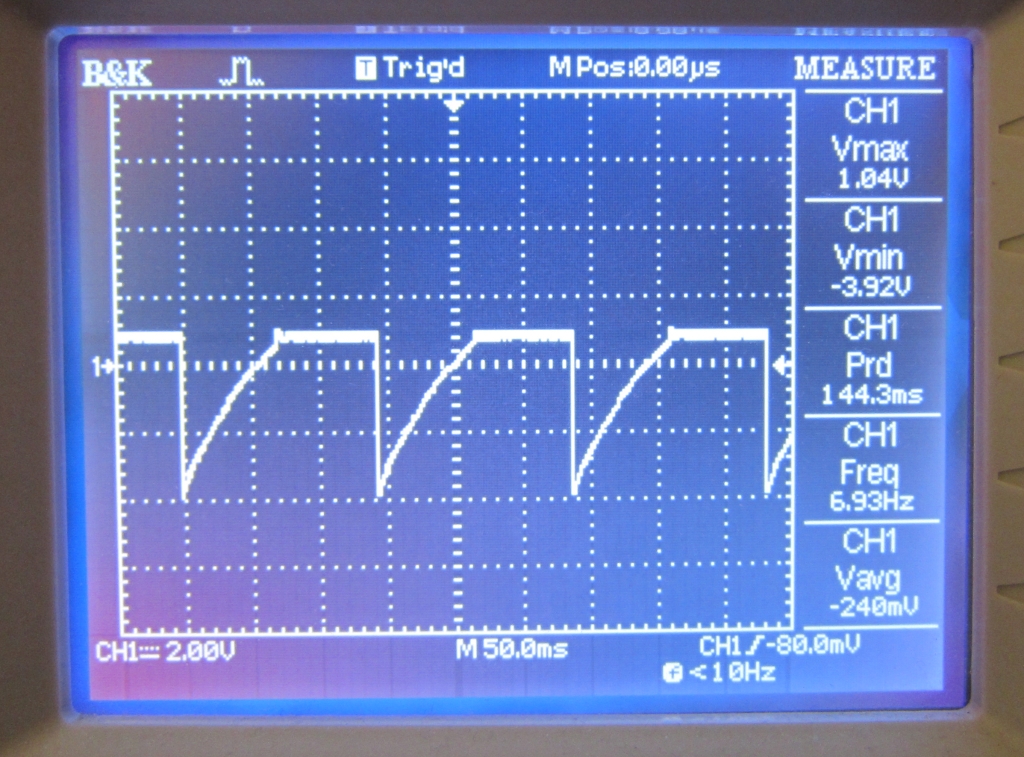
I also checked the signal on T2’s base pin. The result is on the left. As you can see, the beginning of stage 2 is signaled by the jump to a large negative value. During this stage, C1 charges through R2, so T2’s base voltage rises continuously. As soon as it crosses Vb, T2 conducts, and its base remains at Vb until the start of the next cycle.

Next, let’s blink some LEDs with the oscillator. You can either connect LEDs in series with R1 and R4, or directly to output O1 and O2. Check the video below (the circuit below uses C1=C2=10uF):

Finally, if you want, you can make a printed circuit board, so you can carry it around, or use it to decorate a toy with flashing LEDs. Enjoy!

Appendix

Frequency change when connecting LEDs with R1 and R4 in series
As mentioned above, one way to connect LEDs into the multivibrator is by putting them in series with R1 and R4. One interesting thing I noticed is that when doing so the frequency of the LED blinking is much faster than the calculated frequency. So what’s happening? A careful analysis reveals that this is not surprising. The main reason is that because the LED will drop about Vled=2V, C1 and C2 will not be charged all the way to Vcc-Vb anymore. Instead, they are charged to about Vcc-Vb-Vled. Consequently, it takes less time for C1 or C2 to charge from a negative voltage to +Vb, hence the oscillation frequency is faster. The precise formula is actually:

Since Vb+Vled is quite significant compared to Vcc, we cannot make the same approximation as above anymore. For example, with the given values in the first schematic (C1=C2=1uF, R2=R3=100K), and assume Vcc=+5V, the frequency is now roughly 10Hz (compared to 6.5Hz when LEDs are not connected). So this explained why the LED blinking speed seems faster than calculated.

« Newer Posts